
Download BitMedic AntiVirus Lite – Free Virus Protection, Real‑Time Scan, Windows Security
Overview
BitMedic AntiVirus Lite is a free, lightweight version of the full‑featured BitMedic AntiVirus suite. Designed for home users and small‑office environments, the Lite edition delivers core protection against viruses, malware, adware and other malicious threats without the overhead of a heavyweight security suite. The application offers real‑time monitoring, on‑demand full system scans, and customizable scan profiles that let you focus on high‑risk folders or removable media.
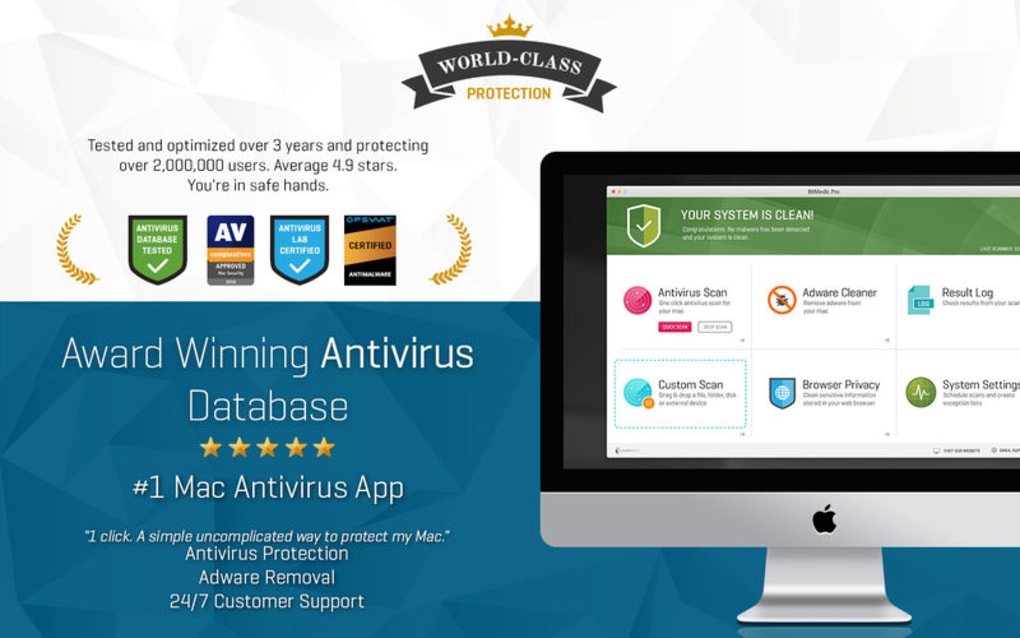
Although it did not receive the top‑tier “Approved” badge from AV‑Comparatives, the product still achieved a respectable 94 % protection rate in independent testing and carries a bronze OPSWAT certification, confirming its basic security hygiene. For users who prioritize a simple interface, quick start guide, and a zero‑cost solution, BitMedic AntiVirus Lite provides a solid foundation of protection on Windows platforms. Its modest system footprint means it can run alongside other productivity tools without noticeable slow‑downs, making it a practical choice for older PCs or laptops with limited resources.
While power users may eventually upgrade to the premium version for advanced features like ransomware rollback and cloud‑based threat intelligence, the Lite edition remains a dependable first line of defense for everyday computing tasks.
Key Features and Real‑World Performance
Feature List
- Real‑time protection against known viruses, trojans, worms, and adware.
- On‑demand full system scan with heuristic analysis.
- Customizable scan profiles for specific folders, drives, or file types.
- Automatic signature updates via secure HTTPS channels.
- Lightweight engine optimized for Windows 7, 8, 8.1, 10 and 11.
- OPSWAT Bronze certification confirming baseline security standards.
- Quiet mode operation that minimizes pop‑up interruptions.
- Simple, wizard‑driven quick‑start guide for non‑technical users.
In terms of performance, BitMedic AntiVirus Lite distinguishes itself with a modest CPU footprint, typically consuming less than 2 % of processor capacity during idle monitoring. Memory usage hovers around 60 MB, which is well below the average for free antivirus solutions. The real‑time scanner leverages a signature‑based engine supplemented by basic heuristic checks, allowing it to catch both known threats and suspicious behavior without resorting to aggressive false‑positive filtering. Independent labs, such as AV‑Comparatives, recorded a 94 % detection rate across a mixed malware test set, indicating that while the engine is not the most aggressive on the market, it reliably blocks the majority of common threats that most users encounter in daily browsing, email and file‑sharing activities.
The customizable scan options give you the flexibility to run quick scans on newly attached USB drives or schedule deep scans for weekends when the computer is idle. This level of control is especially useful for users who need to balance security with system performance. Moreover, the automatic signature updates are delivered through encrypted channels, ensuring that the latest threat definitions are applied without exposing the system to man‑in‑the‑middle attacks. Although the Lite version does not include advanced sandboxing or ransomware rollback, its core capabilities are sufficient to protect against the most prevalent malware families circulating in 2025.
Installation, Usage Instructions & Compatibility
Step‑by‑Step Installation Guide
- Visit the official BitMedic website and click the “Download Lite” button.
- Save the installer (BitMedicLiteSetup.exe) to a known location, such as your Downloads folder.
- Run the executable; Windows will prompt for permission – click “Yes” to allow the installer to make changes.
- Follow the on‑screen wizard: accept the EULA, choose the default installation path, and select “Typical” installation to include real‑time protection and auto‑updates.
- When the setup completes, restart your computer to allow the service drivers to load.
- After reboot, the BitMedic Lite dashboard appears in the system tray, ready for configuration.
BitMedic AntiVirus Lite is built exclusively for Windows operating systems. It supports Windows 7 SP1, Windows 8/8.1, Windows 10 (both 32‑bit and 64‑bit) and Windows 11. The installer automatically detects the appropriate architecture and installs the matching binaries. Although there is no native macOS, Android, or iOS version of the Lite product, BitMedic offers separate paid solutions for those platforms.
First‑Time Use and Ongoing Management
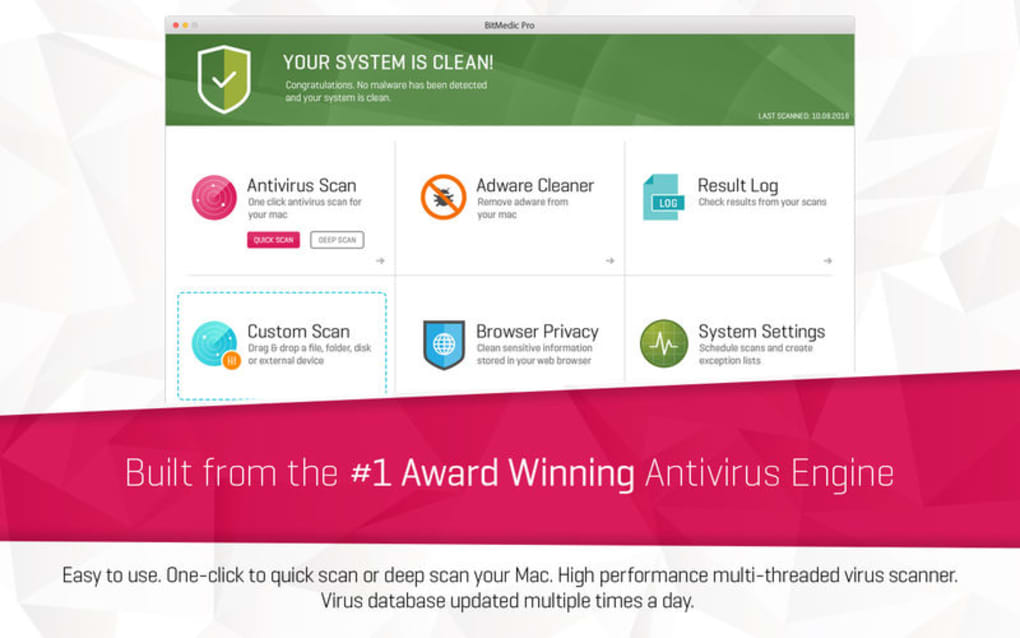
Once installed, the quick‑start guide walks you through three essential steps: (1) enable real‑time protection, (2) perform an initial full system scan, and (3) configure automatic updates. The interface is intentionally minimalistic: a central dashboard shows the current protection status, the number of detected threats (if any), and a “Scan Now” button. Users can right‑click the tray icon to access a context menu that includes “Run Quick Scan,” “Open Settings,” and “Exit.” The Settings window allows you to toggle quiet mode, schedule daily or weekly scans, and adjust the sensitivity of heuristic detection. For those who prefer hands‑off security, enabling “Automatic Updates” ensures that new virus definitions are fetched every 4 hours without manual intervention.
In practice, most users will only need to run the occasional manual scan—perhaps after downloading a new program or before plugging in an external drive. The customizable scan profiles let you target specific directories, reducing scan time from 30 minutes for a full system scan to under 5 minutes for a focused folder scan. BitMedic Lite also logs all scan results in a simple text file located in the installation directory, making it easy to review past detections or share logs with technical support if needed.
Pros, Cons, Frequently Asked Questions & Expert Review
Pros
- Free of charge with no hidden subscription fees.
- Lightweight engine that runs smoothly on older hardware.
- Real‑time protection combined with on‑demand scanning.
- Automatic signature updates over encrypted connections.
- Simple, wizard‑driven setup ideal for non‑technical users.
Cons
- Does not include advanced ransomware rollback or sandboxing.
- Bronze OPSWAT certification (no gold or platinum level).
- Lacks a dedicated mobile (Android/iOS) version.
- AV‑Comparatives rating falls short of “Approved” status.
- Limited customer support for the free edition.
Frequently Asked Questions
Is BitMedic AntiVirus Lite completely free?
Yes, the Lite edition is 100 % free for personal use. There are no hidden fees, trial periods, or mandatory upgrades.
Can I use BitMedic Lite alongside another antivirus?
It is recommended to run only one real‑time scanner at a time to avoid conflicts. You can keep BitMedic Lite installed for on‑demand scans while using a different product for real‑time protection.
How often are virus definitions updated?
Updates are delivered automatically every four hours, ensuring you have the latest protection against emerging threats.
Does BitMedic Lite protect against ransomware?
The Lite version offers basic heuristic detection that can block many ransomware families, but it does not include dedicated ransomware rollback or quarantine features found in the premium edition.
What Windows versions are supported?
BitMedic AntiVirus Lite runs on Windows 7 SP1, Windows 8/8.1, Windows 10 and Windows 11 (both 32‑bit and 64‑bit).
Expert Review
Rating: 4.2 out of 5 stars
Summary: BitMedic AntiVirus Lite delivers solid baseline protection for Windows users who need a free, lightweight security solution. Its real‑time engine, automatic updates, and straightforward interface make it a practical choice for home PCs and small offices. While it lacks premium features such as ransomware rollback and a gold‑level OPSWAT certification, the product’s 94 % detection rate and low system impact provide sufficient peace of mind for everyday browsing and file handling.
Conclusion – Should You Download BitMedic AntiVirus Lite?
If you are looking for a no‑cost, easy‑to‑install antivirus that won’t slow down an older Windows PC, BitMedic AntiVirus Lite is a compelling option. Its core features—real‑time scanning, automatic signature updates, and customizable on‑demand scans—cover the essential security needs of most home users. Although the free edition does not include advanced ransomware protection or a gold OPSWAT badge, the 94 % detection score and lightweight footprint make it a trustworthy first line of defense. For users who require enterprise‑grade features, consider upgrading to the full BitMedic suite, but for everyday browsing, email, and occasional file transfers, the Lite version provides ample protection without any financial commitment.
Ready to secure your Windows PC? Download BitMedic AntiVirus Lite now and start your free protection journey within minutes. The quick‑start guide will have you scanning your system in less than ten minutes, and you’ll benefit from continuous updates that keep your computer safe against the latest threats.







